
Improve B2B Customer Experience With CRM Workflows
Customer experience improves when every team can see the same customer history, service request, quote status, document, renewal date, and next follow-up.
BROSH CRM helps B2B teams create a practical customer operating view, so sales, service, finance, and management do not have to rebuild the story before every call.
Last modified by BROSH CRM, on Tue Aug 11 2026 Israel Time

Customer Experience CRM becomes easier when the team can see owners, next actions, customer context, and management signals in one place.
Customer Experience Is an Operating Discipline
B2B customer experience is not only friendliness. It is whether the team remembers the last promise, sees the open request, sends the correct document, follows up on time, and keeps the buyer from repeating the same details.
The SBA guide to market research is a useful reminder that companies need to understand customer needs and competition. CRM turns that understanding into daily action by tying customer facts to owners, tasks, and follow-up.
The FTC business guidance on privacy and security reinforces that customer information should be managed responsibly. A clean CRM customer history helps teams avoid careless duplication and confusing handoffs.
Give Every Team One Customer History
A shared customer history helps the salesperson, service owner, manager, and finance user work from the same facts. The record should show recent calls, open tickets, quotes, shared documents, renewal dates, and next follow-up.
This is especially important when the customer journey crosses teams. Use BROSH CRM with customer journey planning and duplicate record cleanup so customer context stays reliable.
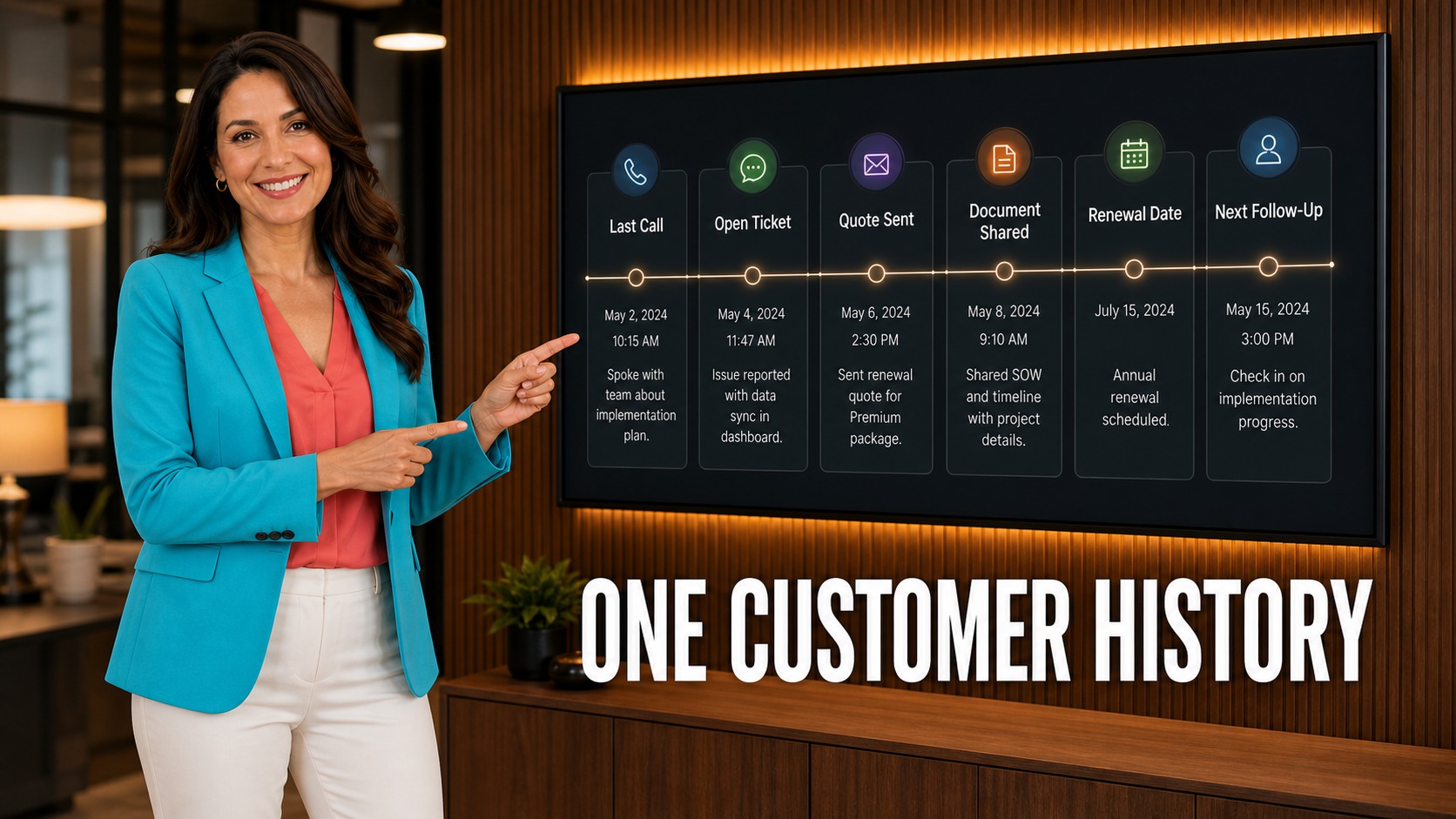
The image beside this section shows the workflow as a clear business system, not a disconnected list.
What to Track in BROSH CRM
Keep the workflow simple enough for daily use and structured enough for managers to act on it. Focus on the fields that make customer work move: owner, next action, status, document, quote, risk, and date.
Customer History
Calls, documents, quotes, tickets, and renewal details stay near the customer record.
Service Context
Open requests show owner, status, next action, and customer impact.
Follow-Up Promise
Each customer-facing promise has a date, owner, and visible completion signal.
Connect this workflow to related BROSH guidance on what CRM manages, smart scheduling, Kanban pipeline visibility, and documents and e-signatures.

The management view should make the next decision easy to see.
Resolve Customer Requests Without Losing Context
Customer requests often touch sales and service at the same time. A buyer may ask for a revised quote, contract document, support update, renewal detail, or follow-up meeting. If each item lives in a different place, the response becomes slow and inconsistent.
BROSH CRM keeps the request near the customer record, connects the owner, and makes the next action visible. That helps the team deliver a calmer, faster customer experience.
How to Put This Into Practice
Start with the real workflow. Map how your team handles a lead, quote, document, customer request, approval, renewal, or handoff before adding fields.
Assign ownership. Every important customer record should show who is responsible for the next action and when it is due.
Use reports to change behavior. Useful CRM reporting should help managers see what needs attention now, not simply count activity after the fact.
Prepare for automation carefully. Teams that want smarter reminders or AI-assisted work should first clean their process and data, then continue with AI-ready CRM operations and agentic AI CRM workflows.
Questions and Answers
How does CRM improve customer experience?
CRM improves customer experience by giving teams one place to see customer history, open requests, documents, quote status, ownership, and next follow-up.
Why is one customer history important?
It prevents customers from repeating themselves and helps sales, service, finance, and management work from the same facts.
What should BROSH CRM track for customer service?
Track request type, owner, status, document, quote status, customer impact, next follow-up, and renewal date.
How does customer experience affect B2B revenue?
Better customer experience improves trust, faster response, renewal readiness, and the chance that buyers continue working with the team.
Make Every Customer Conversation Easier
BROSH CRM helps your team see customer history, requests, documents, quotes, and next actions before the customer has to ask again.