
Intelligent B2B CRM automation
Automate CRM Work Safely—Without Automating Confusion
CRM automation creates value when it removes predictable work and exposes exceptions. It creates risk when unclear ownership, duplicate records, outdated quotes, or weak approval rules are allowed to act at machine speed.
For B2B teams, the best starting point is not an autonomous sales promise. It is a controlled workflow that detects a reliable event, evaluates clear conditions, creates an appropriate action, records the result, and routes judgment-heavy exceptions to a person.
This guide explains how to automate follow-up, ownership, quotes, documents, approvals, and handoffs while protecting customer trust and management visibility.

Start with the workflow, not the technology
Recent research shows why operational design matters. Bain reported that many companies struggle to integrate sales plays into CRM and revenue technology, with incomplete data and poor configuration among the barriers. Research on governed automation emphasizes policy enforcement, human oversight, and monitoring as design requirements rather than afterthoughts.
Choose a workflow with a clear trigger, repeated manual action, stable business rule, and measurable result. Good early candidates include assigning a new lead, creating a follow-up task, alerting on an expiring quote, requesting approval above a threshold, or creating an onboarding handoff after signature.
- The event is recorded reliably and close to real time.
- The condition can be stated without subjective interpretation.
- The action is reversible or easy to correct.
- One person owns exceptions and failed runs.
- The customer impact and success measure are clear.
Automation should reduce ambiguity. If the team cannot agree on the manual rule, coding it will only make disagreement faster.
Prepare clean data and explicit ownership
Automation depends on fields, relationships, and statuses. Duplicate contacts can create repeated messages. Missing owners can route tasks nowhere. An outdated quote status can trigger an incorrect reminder. Before enabling a rule, inspect the data it reads and the records it changes.
- Define the source of truth for customer, contact, opportunity, quote, document, approval, and task status.
- Merge duplicates and standardize required values.
- Require one accountable owner for each automated result and exception.
- Separate current documents from superseded versions.
- Decide what the automation may create, update, notify, or never change.
- Keep an audit trail of trigger, conditions, action, timestamp, and outcome.
Use BROSH's bulk merge guidance to strengthen the record foundation. For broader preparation, see AI-ready CRM operations.

Use a trigger–condition–action–review pattern
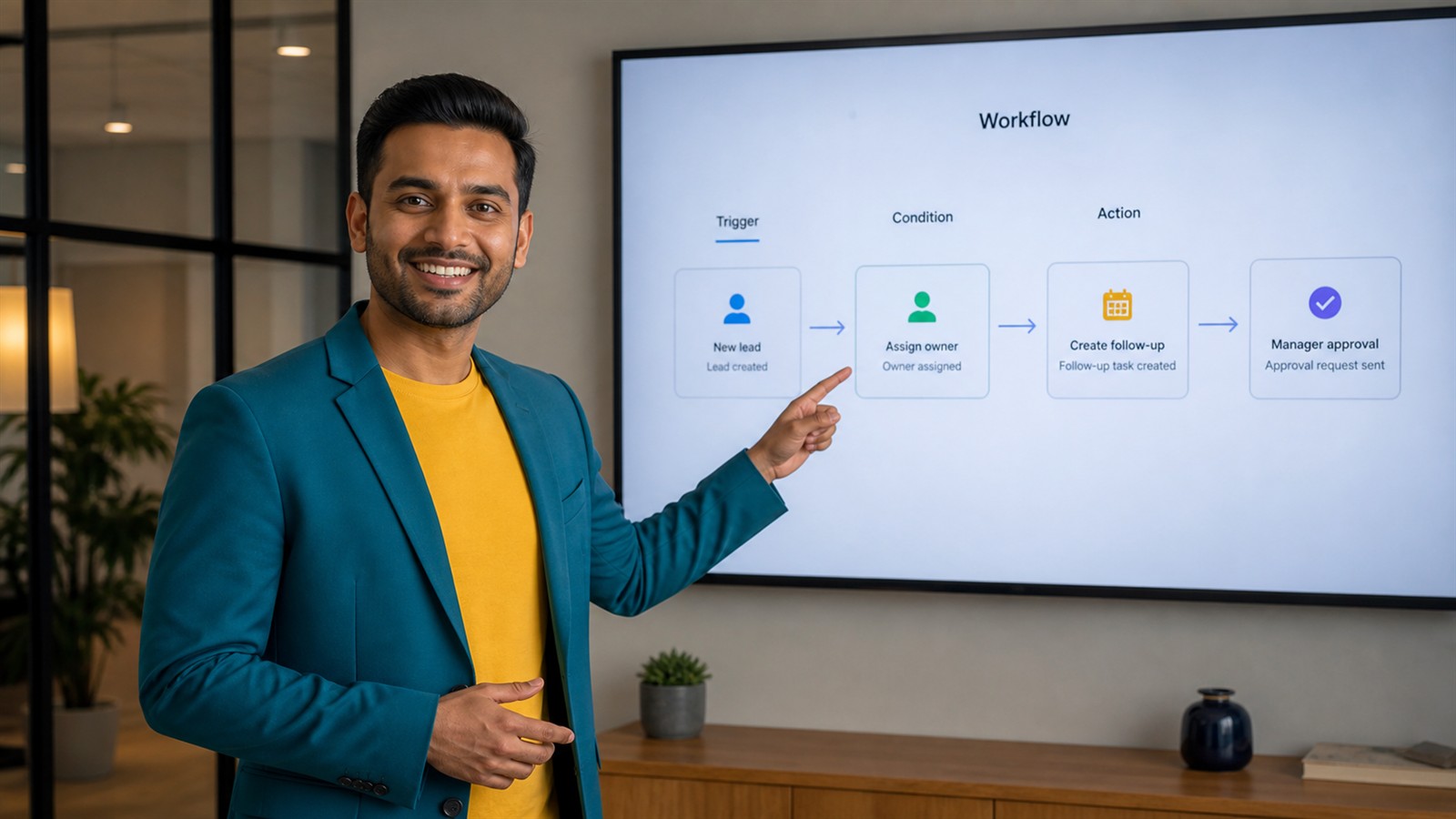
A dependable workflow has four parts. The trigger identifies the event. Conditions confirm that the record is eligible. The action performs a narrow task. Review handles exceptions, sensitive decisions, and quality control.
Example: when a qualified lead is created, confirm that an account and contact exist, an owner is assigned, and consent or communication rules permit contact. Then create a dated follow-up task. If ownership is missing or the record appears duplicated, route it to a review queue instead of sending anything.
- Trigger: the observable event that starts evaluation.
- Conditions: data, status, thresholds, and exclusions that must be true.
- Action: the smallest useful automated change.
- Human checkpoint: required for pricing, legal terms, sensitive customer messages, or ambiguous records.
- Monitoring: success, failure, delay, override, and customer-impact measures.
For document-heavy workflows, connect automation to quotes and e-signatures. For deadline-driven work, use calendar-based CRM follow-up.
Safe automation candidates for B2B teams
Begin with controlled, observable workflows and expand only after quality is proven.
| Stage | CRM evidence | Owned action | Management signal |
|---|---|---|---|
| New inquiry | Account, contact, source, fit fields | Assign owner and create response task | Response time and routing exceptions |
| No next action | Active stage, owner, last activity | Create reminder or manager alert | Next-action coverage |
| Quote nearing expiry | Current version, validity date, open status | Create review task | Quote aging and renewal rate |
| Approval required | Value or discount threshold, current terms | Route approval request | Approval time and overrides |
| Signed document | Verified signature and current agreement | Create onboarding handoff | Handoff completeness |
| Service issue overdue | Severity, due date, owner, customer impact | Escalate to service manager | Resolution time |
| Renewal window opens | Renewal date, owner, value and risk evidence | Create review checklist | Renewal readiness |
Visualize automated work alongside human tasks with a CRM Kanban workflow, but keep the audit evidence attached to the underlying record.
Measure automation quality, not just volume
Counting automated actions can reward noisy or harmful workflows. Pair efficiency with accuracy, exception, and customer outcomes.
- Eligible-record accuracy: triggered records that truly met the intended criteria.
- Successful completion rate: runs that completed the expected action without correction.
- Exception rate: records routed to human review and their root causes.
- Override rate: automated results changed by users.
- Time saved: verified reduction in repetitive work, not estimated clicks alone.
- Customer error rate: duplicate, mistimed, irrelevant, or incorrect customer-facing actions.
- Business outcome: response time, next-action coverage, approval time, handoff quality, or renewal readiness.
Review failed and overridden runs weekly during rollout. A rising override rate often signals bad data, an ambiguous rule, or a workflow that requires more human judgment.
A controlled 30-day automation rollout
Week 1: choose and baseline
Select one repeated workflow. Measure current volume, time, errors, delay, and customer impact. Write the manual rule in plain language.
Week 2: clean and design
Fix duplicate records, required fields, statuses, ownership, and document version rules. Define trigger, conditions, exclusions, action, review path, and stop control.
Week 3: test in shadow mode
Run the logic without changing customer-facing records. Compare suggested actions with human decisions and document false positives and misses.
Week 4: release with monitoring
Enable a limited group, review every exception, and compare the outcome with baseline. Expand only when accuracy and customer safeguards are stable.
Decision rule: automate only when the trigger and conditions are reliable, the action is narrow, the owner is known, and a human can inspect or stop the workflow.
Questions and Answers
What is intelligent CRM automation?
It is the use of reliable customer data, workflow rules, and sometimes machine-assisted recommendations to create or route useful CRM actions while recording evidence and escalating exceptions.
Which CRM process should a small B2B team automate first?
Choose a high-volume, low-ambiguity process such as lead assignment, next-action reminders, quote-expiry tasks, or signed-document handoffs. Baseline the manual result before automating.
When is human approval necessary?
Use human approval for pricing exceptions, legal terms, sensitive communication, uncertain customer identity, high-value commitments, and any action that could materially affect trust or revenue.
How does data quality affect automation?
Automation reads fields and relationships as facts. Duplicates, missing owners, inconsistent statuses, and outdated documents can produce repeated, misrouted, or incorrect actions.
How should CRM automation be monitored?
Track eligible-record accuracy, successful runs, failures, exceptions, overrides, time saved, customer errors, and the business outcome the workflow was designed to improve.
Automate the work that should be predictable
BROSH CRM helps B2B teams connect customer records, tasks, follow-up, quotes, documents, approvals, ownership, and workflow visibility so automation supports people instead of surprising them.
Ready to automate a real B2B workflow?
Start with clean evidence, narrow actions, and accountable human review.
Talk to a CRM ExpertSources: Bain, sales plays and revenue technology survey (2025); Governed Hyperautomation for CRM and ERP (2026).