
What Is Sales Management? A Practical CRM Guide
Sales management is the operating system for revenue work: process, people, pipeline, quotes, follow-up, forecasting, coaching, and customer risk.
BROSH CRM helps B2B sales managers turn those responsibilities into visible daily work.
Last modified by BROSH CRM, on Tue Aug 11 2026 Israel Time

Sales Management CRM becomes easier when managers can see customer work, owners, next actions, and measurable progress.
Sales Management Is More Than a Forecast Meeting
A sales manager needs to define the process, support the team, inspect pipeline quality, remove blockers, and help customers move through decisions. CRM should make that work visible instead of becoming a place where users only log notes.
The BLS occupational profile for sales managers highlights responsibilities such as directing sales teams and analyzing statistics. BROSH CRM turns those responsibilities into customer records, stages, tasks, reports, and dashboards.
The SBA market research guidance reinforces the importance of knowing customers and competitors. Sales management applies that knowledge to priorities, messaging, follow-up, and quotes.
Define the Sales Process Before You Manage the Team
A clear sales process tells the team what each stage means, what information is required, what customer action proves progress, and what should happen next. Without that shared definition, pipeline reports become opinion instead of operating data.
Use BROSH CRM with CRM selection guidance and CRM marketing techniques so the process connects demand, follow-up, quote work, and customer outcomes.
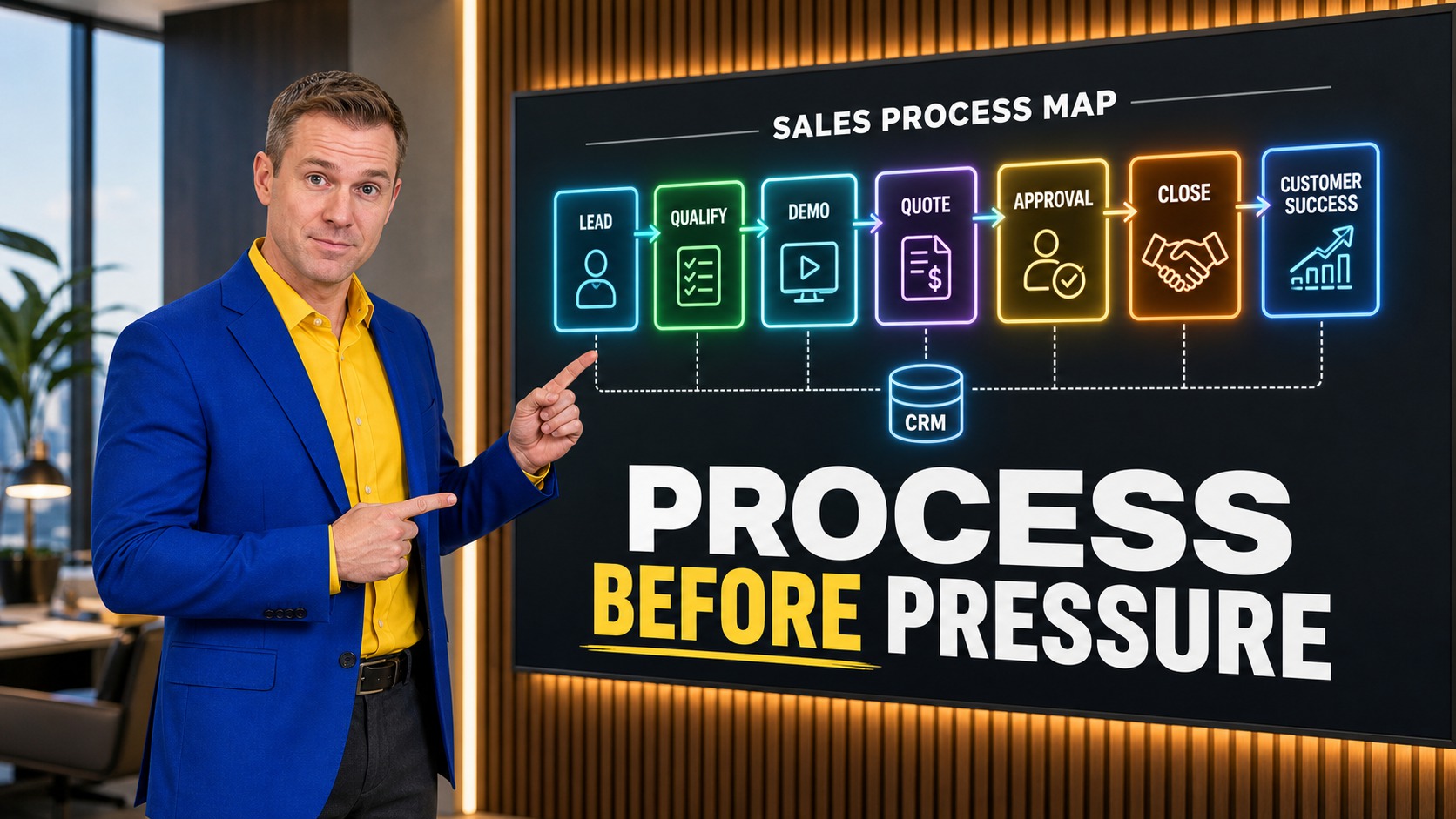
The adjacent image shows the concept as a CRM workflow a team can act on.
What to Track in BROSH CRM
The best CRM setup makes behavior visible without overwhelming the team. Track the few fields that move daily work forward: owner, next action, stage, quote status, document status, customer question, and date.
Pipeline Stage
Each stage has a customer proof point.
Owner Coverage
Every active opportunity and quote has a responsible owner.
Action Report
Dashboards show overdue work and stalled customer decisions.
Use this article with related BROSH resources on what CRM manages, productive CRM habits, smart scheduling, and Kanban pipeline visibility.
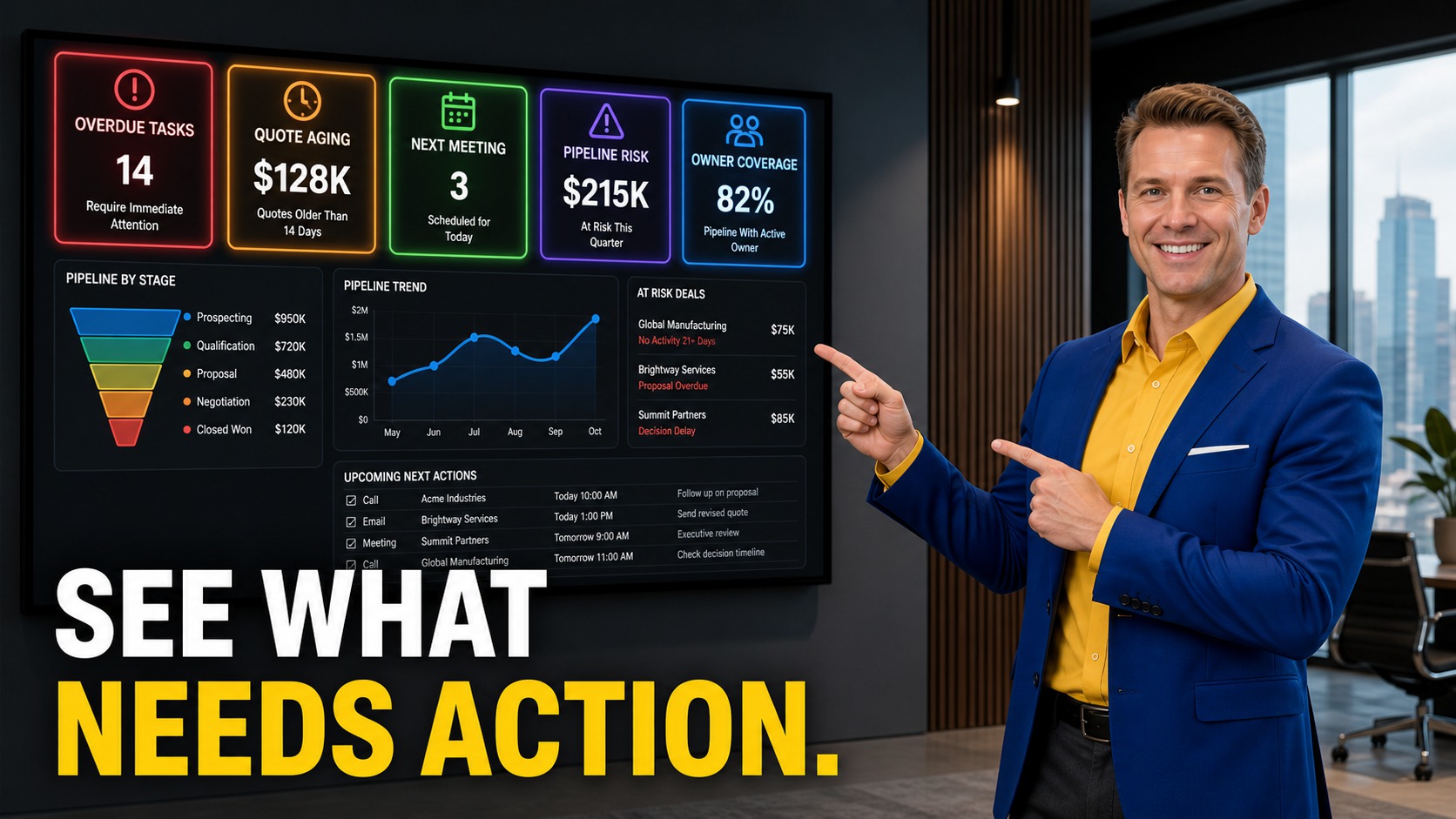
A clear management view helps the team understand what should happen next.
Manage With Reports That Show the Next Action
Useful sales reports show stuck work: overdue tasks, aging quotes, no next meeting, pipeline risk, and owner coverage. These are signals a manager can act on this week.
BROSH CRM helps managers move from vague pipeline reviews to specific conversations about customer records, follow-up, documents, quotes, and risk.
How to Put This Into Practice
Define the workflow in plain language. Users should understand what each stage, task, quote status, document status, and follow-up date means.
Connect every term to behavior. A field is useful only if it helps someone respond faster, coach better, send the right document, or move the customer forward.
Review what managers can act on. Good sales reporting should show stuck work, overdue tasks, owner gaps, aging quotes, and customer risk.
Prepare for smarter automation. Clean sales definitions support AI-ready CRM operations and agentic AI CRM workflows later.
Questions and Answers
What is sales management?
Sales management is the discipline of leading the sales process, team activity, pipeline, forecasting, coaching, follow-up, and customer progress.
How does CRM support sales management?
CRM supports sales management by making owners, stages, tasks, quote status, documents, customer history, and reports visible.
What should a sales manager review weekly?
Review open opportunities, aging quotes, overdue tasks, next meetings, customer risk, owner coverage, and won or lost reasons.
How can BROSH CRM help a sales manager?
BROSH CRM connects pipeline, tasks, quotes, customer records, documents, calendars, and reports so managers can coach and prioritize.
Make Sales Management Visible
BROSH CRM helps managers see the process, coach the team, track quotes, and act on customer risk.