
Free CRM With E-Signature: Send, Sign, Track, and Save Documents in BROSH
BROSH CRM helps B2B teams manage customers, quotes, documents, follow-up, and electronic signatures in one workflow.
No separate signing add-on is required for the core signing process.
A signature is rarely the end of the deal. The team still needs a saved document, a next task, and a manager who can see what is moving.
When signing is disconnected, sellers lose time copying files and checking status elsewhere.
When e-signature is part of CRM, the work stays visible.
Last modified by BROSH CRM, on Thu Aug 13 2026 Israel Time
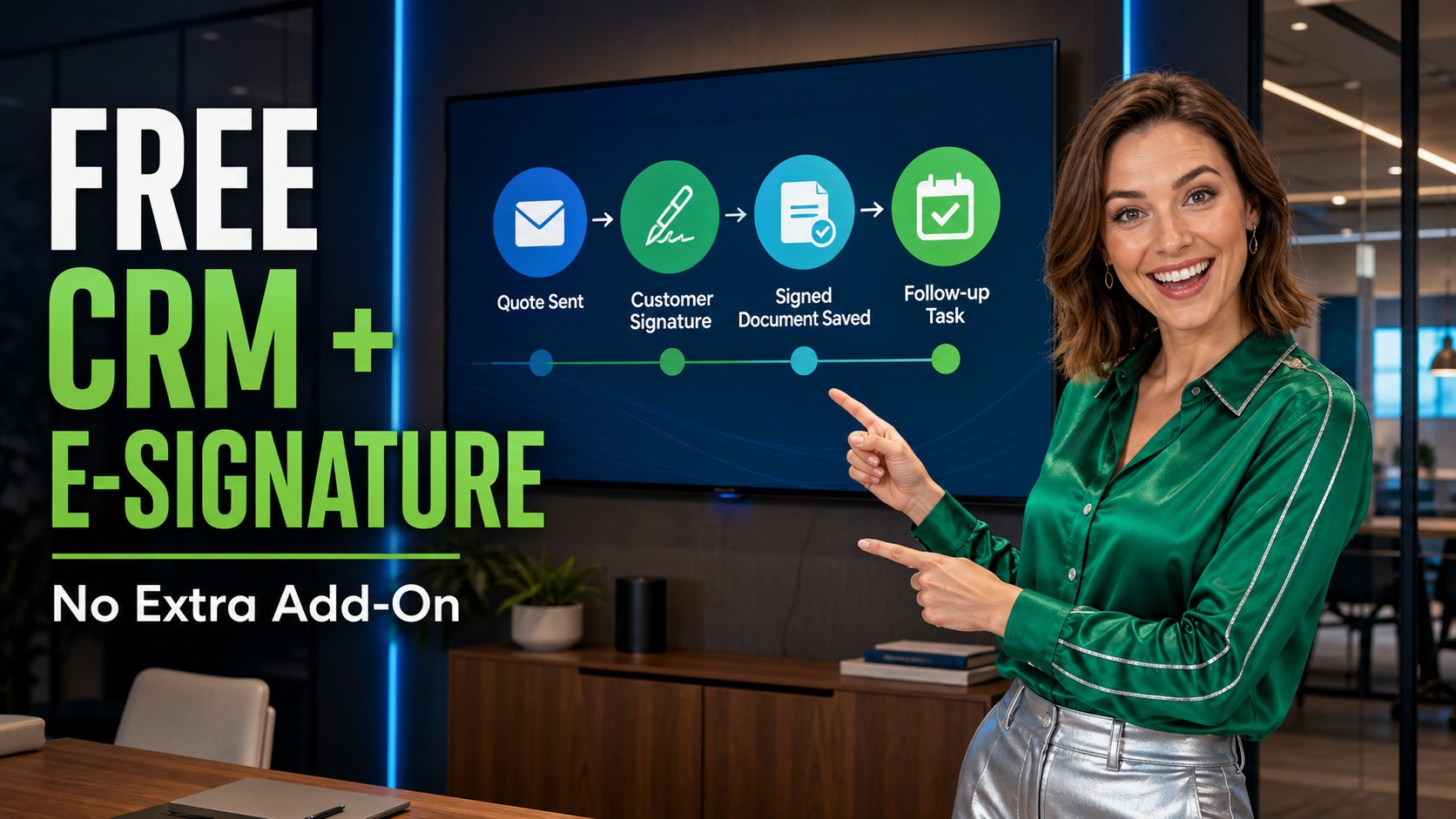
BROSH CRM combines customer records, quote workflow, document signing, and follow-up in one business system.
Why Free CRM With Built-In E-Signature Is a Real B2B Advantage
A B2B team can outgrow a basic contact list quickly.
Once the process includes quotes, approvals, customer files, renewal dates, and signed documents, the CRM must do more than store names.
Built-in e-signature makes the CRM part of the close.
A seller can send a quote, track signature status, save the document, and trigger follow-up from the same customer record.
The legal foundation for electronic signatures is mature in many business contexts.
The U.S. Electronic Signatures in Global and National Commerce Act states that signatures and records generally cannot be denied legal effect only because they are electronic.
Each business should still check its own jurisdiction, document type, and compliance requirements.
Electronic records also need to stay trustworthy over time.
The U.S. National Archives explains that electronic records should be managed so they remain reliable, authentic, complete, and usable. See the NARA guidance on electronic records management.
That is why signed documents should be saved beside the customer and sales context, not left in a separate inbox.
Send, Sign, Track, and Follow Up From the Same Customer Record
The practical workflow is simple.
Create or attach the quote. Send it for signature. See the status. Save the completed document. Assign the next task.
The seller should not have to remember where the document lives or whether the customer already signed.
This is especially useful when more than one person is involved.
A manager may approve the quote, a buyer may sign it, and operations may need the final agreement before delivery starts.
BROSH CRM keeps that signing activity connected with customer management and follow-up. If your team also uses visual deal stages, the related BROSH guide to sales pipeline kanban shows how managers can track opportunity movement and next actions in a more visual way.
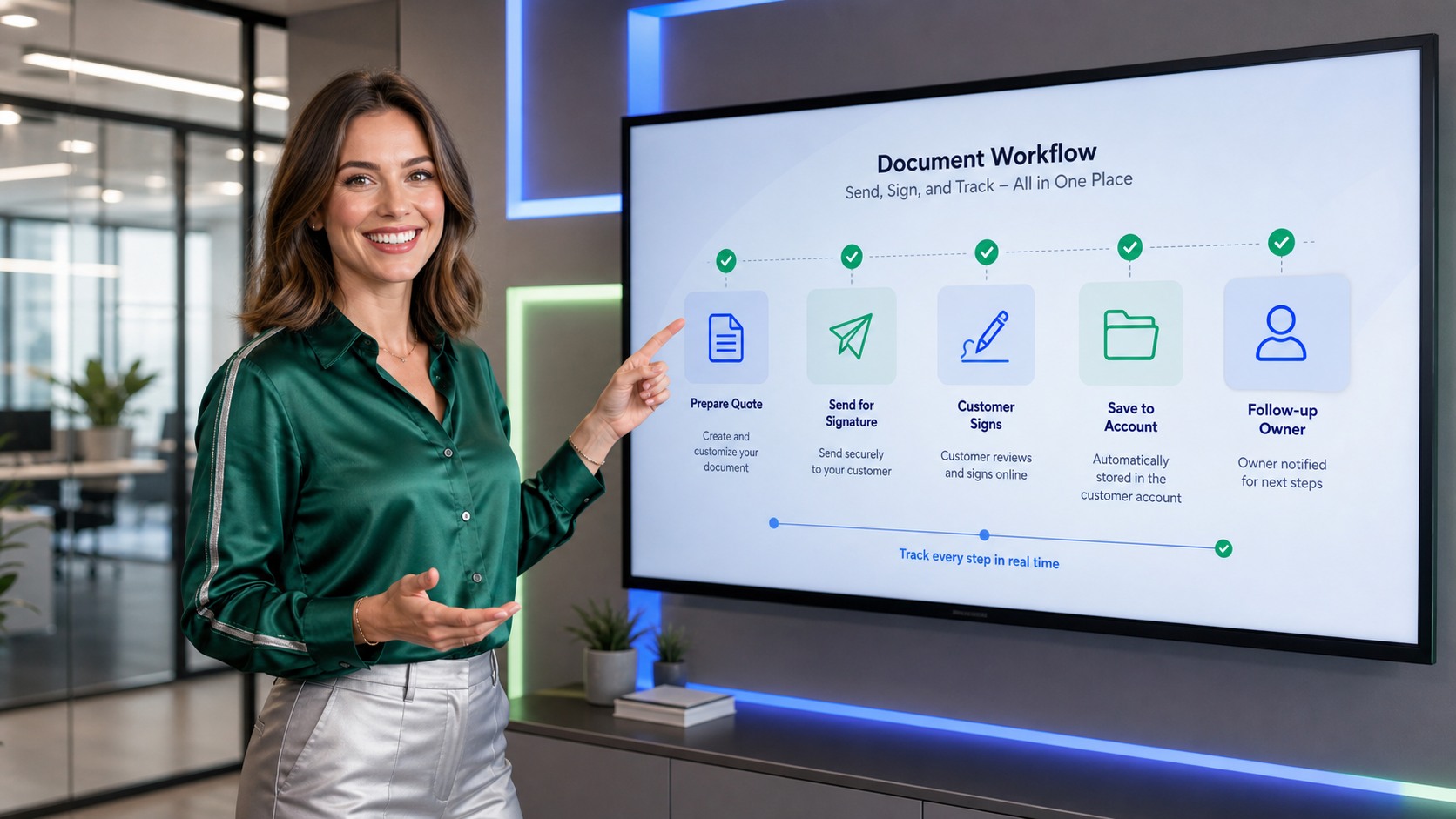
A built-in document workflow turns signature status into a visible CRM step, not a separate admin task.
Let Customers Sign Contracts on a Tablet
Some buyers sign while sitting with the seller, manager, or service team.
A tablet signing flow makes that moment simple. The customer can review the contract, add a signature, and confirm while the context is still fresh.
For BROSH CRM users, the important part is what happens next.
The signed contract should be saved back to the right customer, quote, opportunity, or project record.
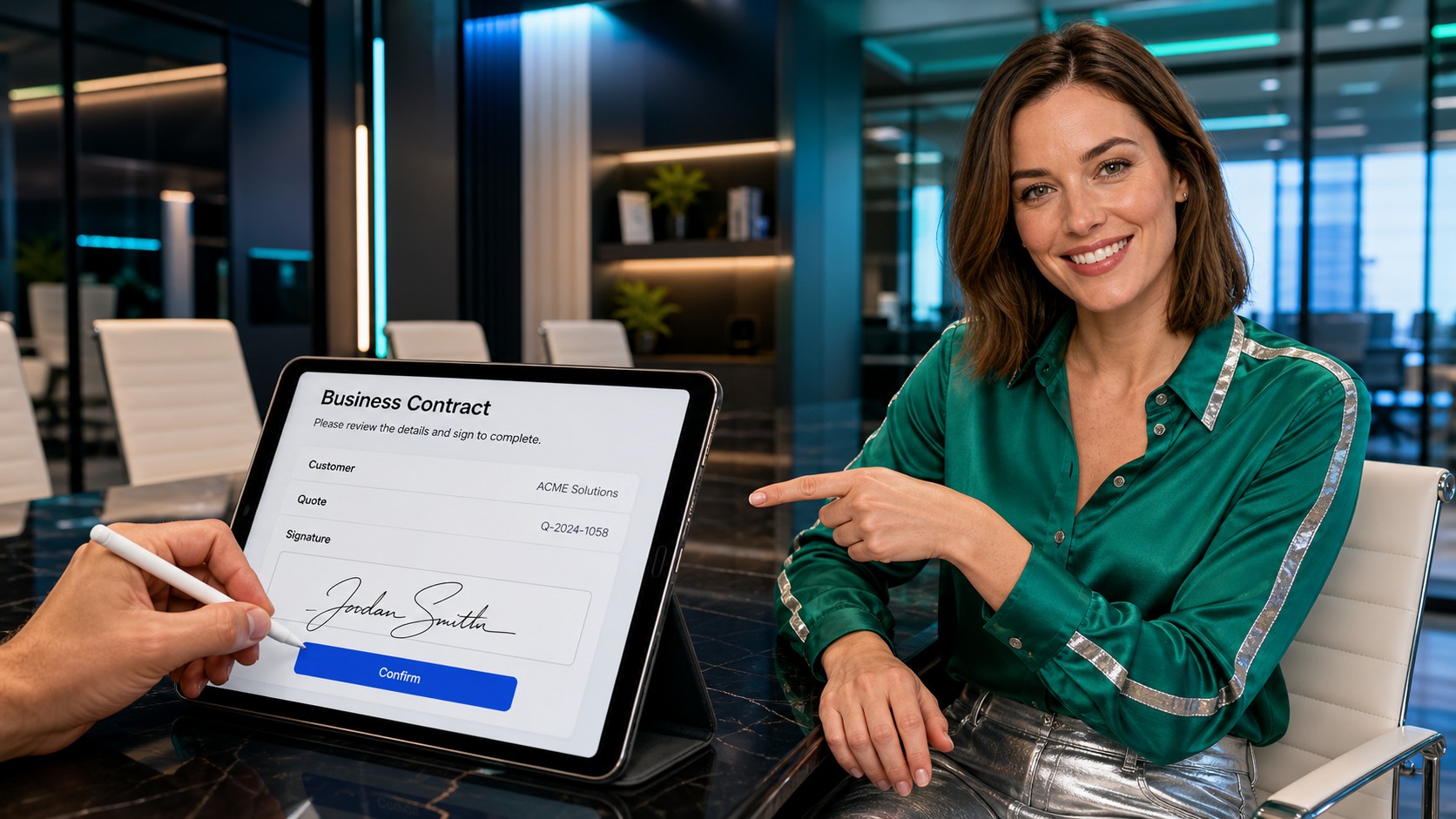
Tablet signing keeps in-person agreement work fast, clear, and connected to the CRM record.
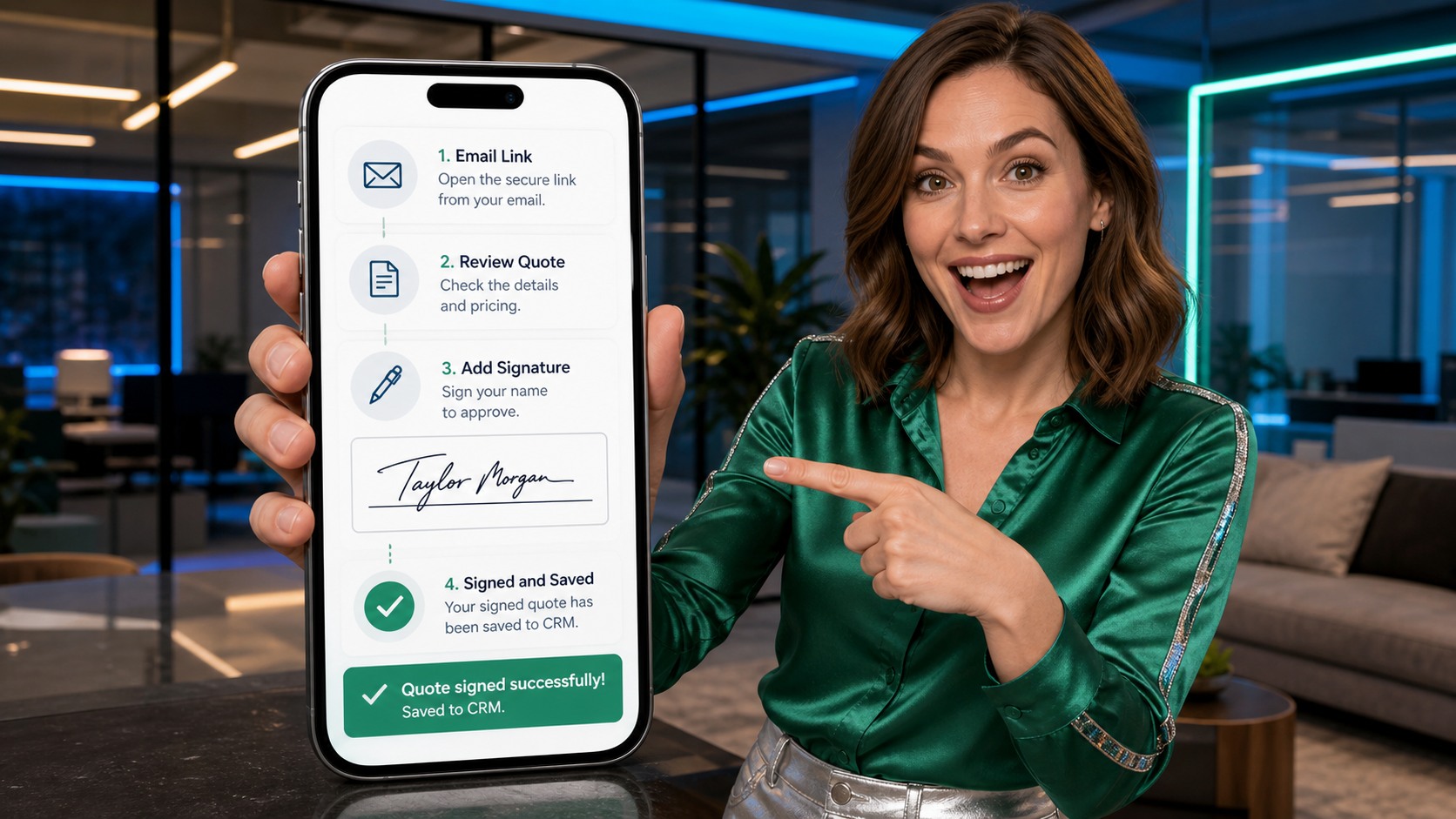
Phone signing helps buyers approve a quote from an email link and keeps the result visible to the team.
Let Buyers Sign Quotes From a Phone
Many B2B buyers respond between meetings, while traveling, or after a quick internal approval.
A mobile signing flow lets them open the quote, review the details, add a signature, and confirm from the phone.
The CRM value comes after the signature.
The signed quote should update the customer record and make the next follow-up obvious.
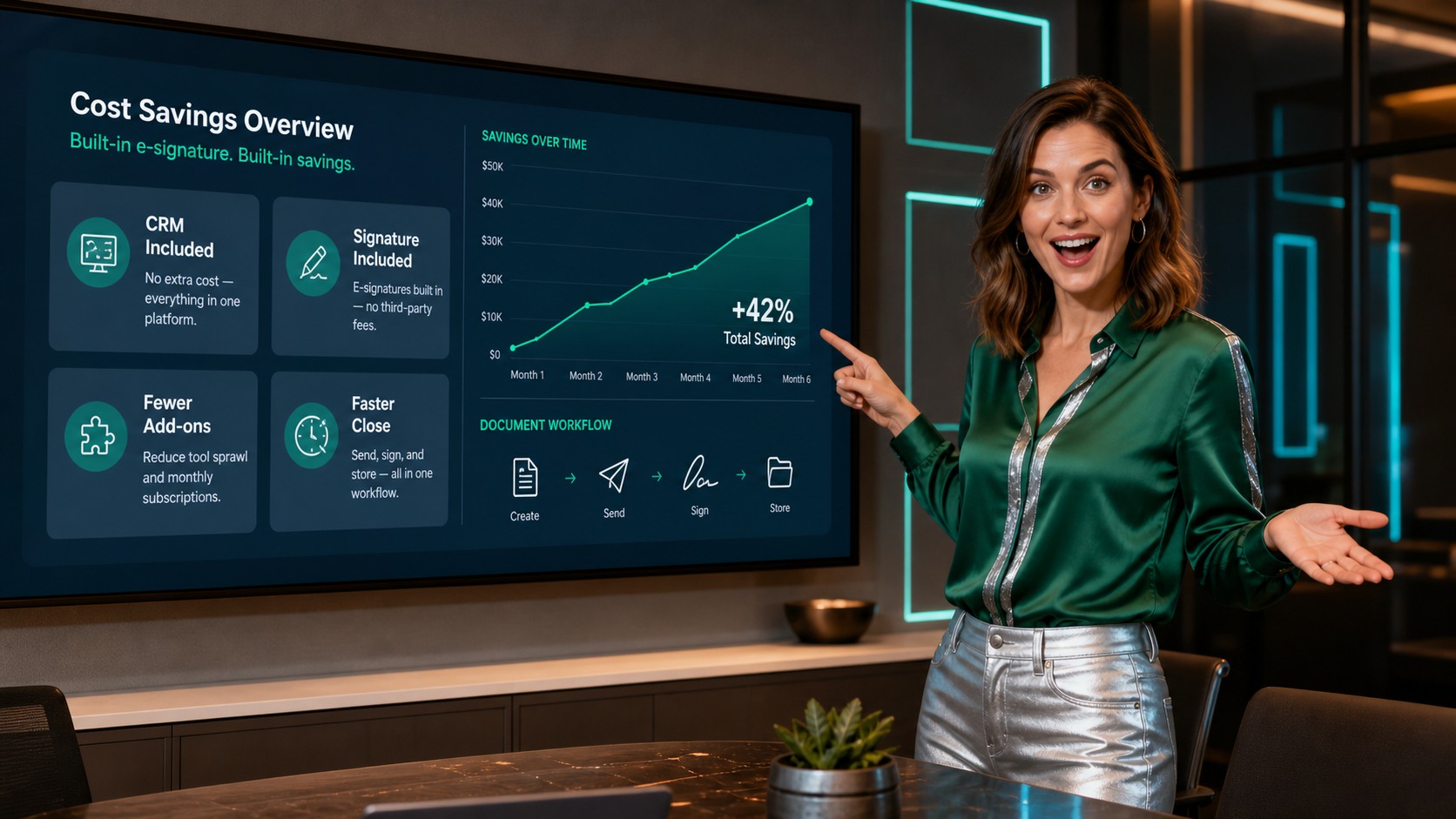
The saving is bigger than a license fee: fewer tools, fewer handoffs, and fewer places to search for signed documents.
Reduce Add-On Cost and App Switching
Buying a separate signing tool can look small at first.
The real cost often grows around it: another subscription, another integration, another workflow, and another place where customer data can become outdated.
With BROSH CRM, e-signature is available inside the CRM process.
That can create a huge saving for teams that send quotes, proposals, order forms, service documents, or approval files.
It also supports cleaner operations.
A signed document should connect to the customer, not just to a file folder.
If a team struggles with duplicate records or messy customer information, the related BROSH article on bulk merge and clean CRM data explains why clean records matter before and after the sale.
What a Free CRM With E-Signature Should Help You See
A strong CRM signature workflow should answer practical management questions, not only collect a signature.
Document Status
Which quotes were sent, viewed, signed, or still waiting? Managers need status without asking every seller.
Customer Context
Which account, contact, opportunity, or project owns the signed document? The record should tell the full story.
Next Action
What happens after signature: follow-up call, invoice, delivery, onboarding, renewal reminder, or manager approval?
That is why e-signature belongs beside follow-up. The related BROSH article on lead follow-up for small B2B teams is a useful next read if your team wants signed documents to trigger the next customer action.
Use E-Signature as Part of the Revenue Workflow, Not as a Standalone Tool
The strongest process is not “send a document and hope.” It is “send the right document, track the signature, store the record, assign the owner, and keep the buyer moving.” That requires CRM workflow thinking.
NIST’s Digital Identity Guidelines connect identity, authentication, security, privacy, and customer experience. For a CRM buyer, the lesson is practical: the signing experience should be easy for the customer while still giving the business enough control, history, and accountability.
If a seller has to leave the CRM to understand what happened, the workflow is too fragile. If the signed document, quote, customer, and next task are visible together, the team can move faster with less risk.
Questions and Answers
Is BROSH CRM really a free CRM with e-signature?
BROSH CRM can be used as a CRM with built-in e-signature capabilities for quotes and business documents, so teams do not need to start with a separate signing add-on just to send, sign, track, and save customer documents.
Why is built-in e-signature important for a B2B sales team?
Built-in e-signature keeps the quote, customer record, signed document, owner, and next follow-up together. That helps managers see which deals are waiting for signature, which documents are complete, and which customers need action.
Can built-in e-signature reduce software cost?
Yes. The saving can be significant because the team can reduce separate signing subscriptions, integration work, duplicate training, disconnected document storage, and manual follow-up after a document is signed.
Where should signed quotes and documents live after signature?
Signed quotes and documents should live next to the related account, contact, opportunity, activity, or project record. That gives sales, operations, and service teams one place to confirm agreement status and the next customer action.
What should a team check before relying on electronic signatures?
Teams should confirm the legal requirements for their country, industry, and document type, then make sure the CRM workflow preserves the signed record, document status, owner, date, and customer context.
Get E-Signature Without Adding Another Tool
BROSH CRM helps B2B teams manage customers, quotes, signed documents, approvals, and follow-up in one workflow, so the team can close cleaner and spend less time chasing files.