
Lead Follow-Up CRM for Small B2B Teams
Getting leads is only the start. BROSH CRM helps teams assign owners, respond faster, schedule demos, track quotes, and turn new interest into managed revenue work.
Many small B2B teams invest in marketing, referrals, events, forms, and campaigns to get more leads. The hard part begins after the lead arrives. If the owner is unclear, the response is slow, or the next step is not scheduled, the lead becomes a missed opportunity.
Last modified by BROSH CRM, on Tue Aug 11 2026 Israel Time
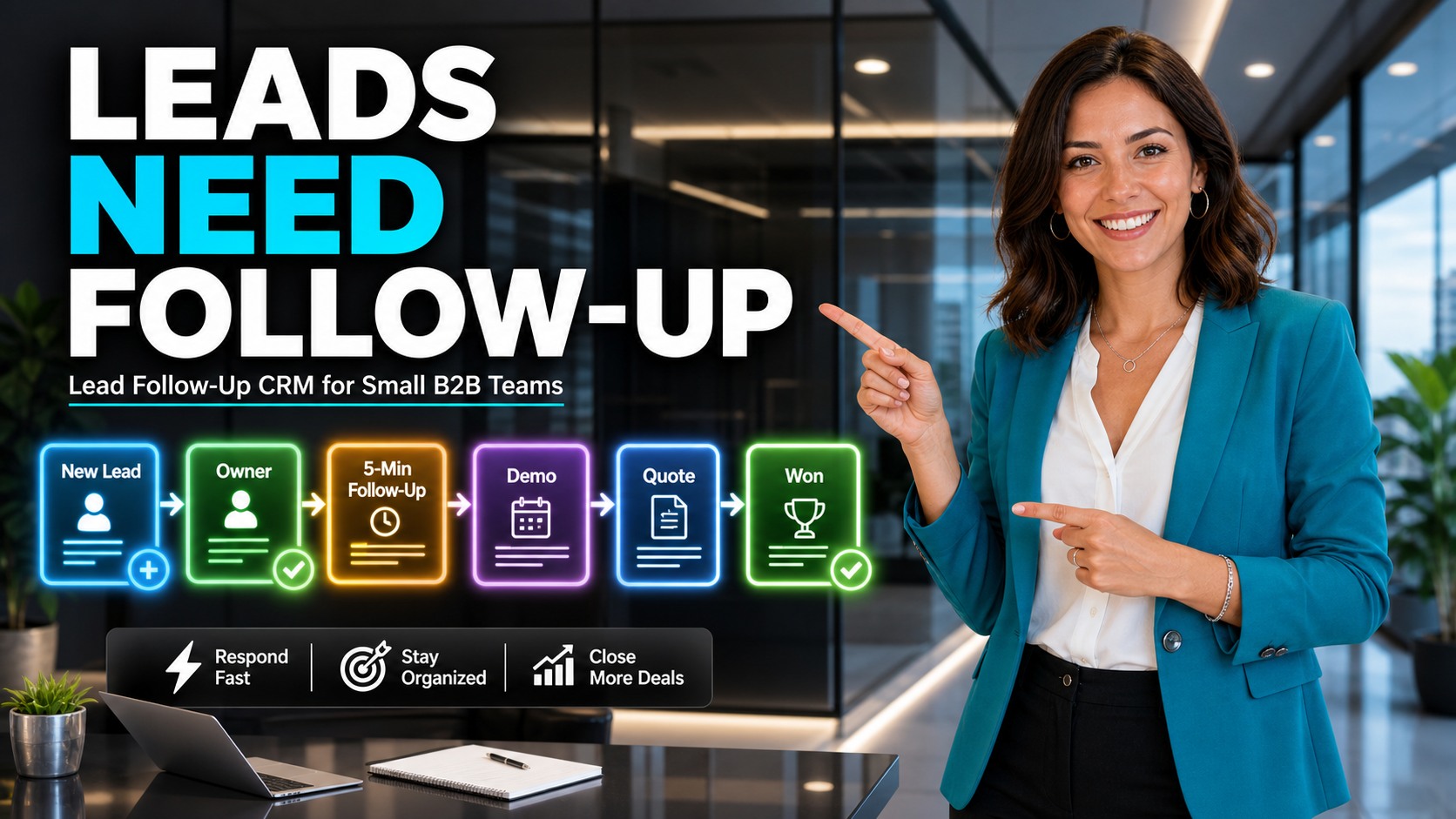
Lead follow-up works best when new lead, owner, first response, demo, quote, and won status are connected.
Why Getting Leads Is Not Enough
A new lead does not automatically become revenue. It needs a clear owner, fast response, useful context, a next action, and a management view that shows whether the team handled it. Without those pieces, the business may keep paying for leads while losing them in the follow-up process.
The U.S. Small Business Administration guide to market research and competitive analysis encourages businesses to understand customer needs and market context. In CRM follow-up, that means the team should not only record that a lead exists; it should capture why the lead reached out, what problem they need solved, and what should happen next.
For BROSH CRM buyers, the follow-up workflow should connect sales, operations, quote preparation, documents, and manager visibility. A lead record should make it easy to answer: who owns this, when did we respond, what did the buyer ask for, is a demo scheduled, and is a quote or document needed?
Assign Every New Lead to an Owner and Next Step
The first operational question is simple: who owns the lead now? If the answer is unclear, follow-up slows down. A lead should enter BROSH CRM with a source, company, contact, owner, priority, first response task, and next follow-up date.
Once the lead is assigned, the team can track whether the first call was made, whether a demo was scheduled, whether a quote is needed, and whether the customer asked for documents or proof. This turns a lead into a managed workflow instead of a loose name in a list.
This connects naturally to the BROSH guide on smart CRM calendars, because response speed and follow-up dates should be visible on the team calendar as well as the lead record.

A lead response workflow should connect web form, new lead, owner assignment, first call, demo booking, and follow-up tasks.
What a Small B2B Lead Follow-Up Workflow Should Track
Lead follow-up should be simple enough that the team uses it every day, but structured enough that managers can see what is happening.
Response Speed
Track when the lead arrived, who responded, and whether first contact happened inside your service target.
Buyer Intent
Capture the reason for interest, product or service need, urgency, budget signal, and decision stakeholder.
Next Action
Schedule demo, call, quote review, document request, proposal follow-up, or manager review before the lead cools down.
Teams that want cleaner qualification can connect lead follow-up to gap-based sales discovery. Once the buyer problem is clear, the follow-up becomes more specific and useful.
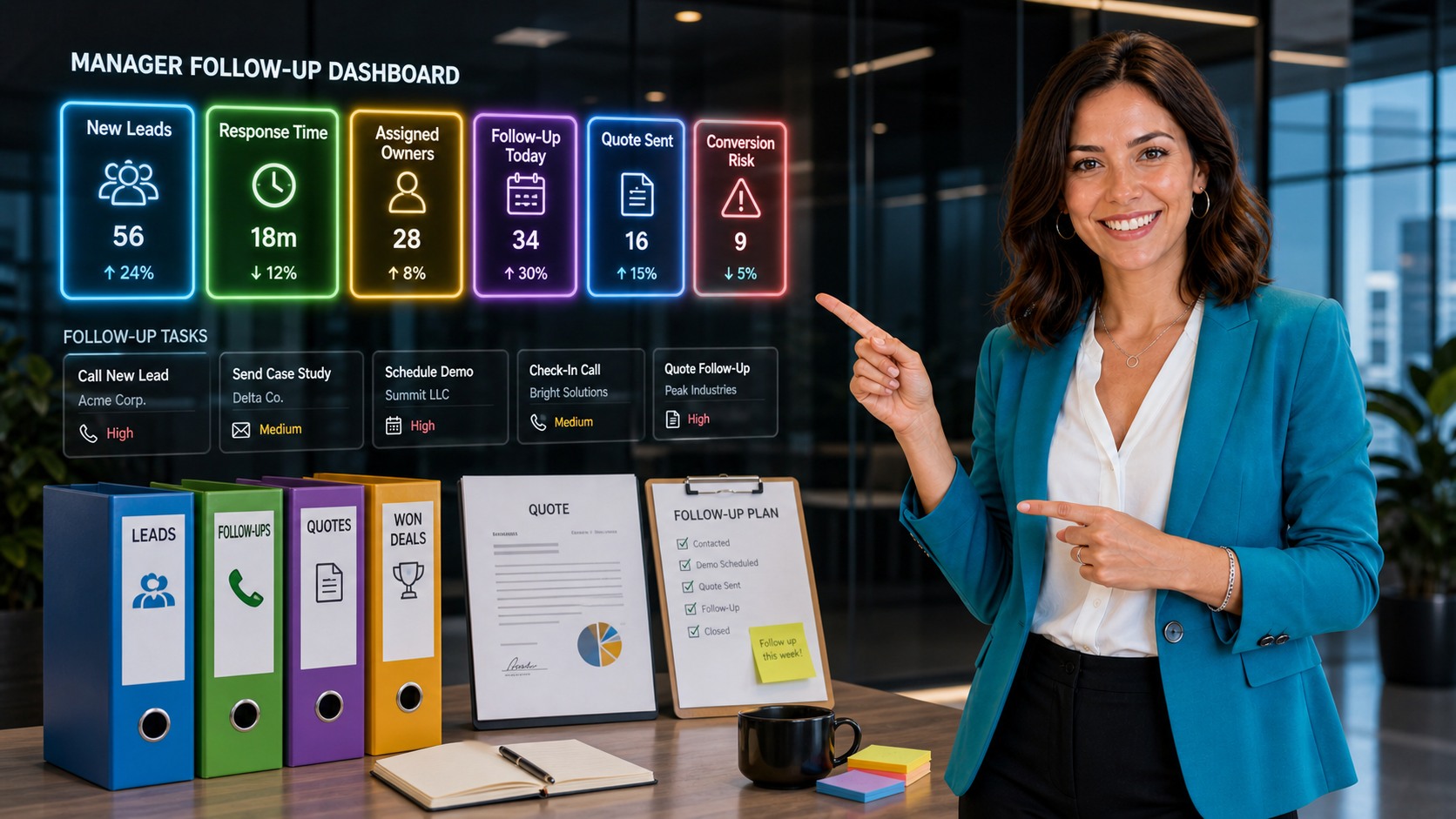
A manager follow-up dashboard should show new leads, response time, assigned owners, follow-up today, quote sent, and conversion risk.
Give Managers a Lead Follow-Up Dashboard
Lead follow-up becomes stronger when managers can see the work without chasing updates. A useful dashboard should show new leads, response time, assigned owners, follow-up tasks due today, quote status, and conversion risk.
This helps teams intervene early. If a lead has no owner, assign one. If a quote was promised but not sent, create the task. If a demo happened but no follow-up is scheduled, put it on the calendar. If documents are needed, connect them to the customer record.
The NIST AI Risk Management Framework is useful when teams later add automation or AI-assisted follow-up because it emphasizes trustworthy, transparent, and accountable systems. In practical CRM terms, keep people in control of customer-facing messages while automation prepares reminders, context, and task suggestions.
For visual sales management, connect this workflow to BROSH Kanban boards, AI-ready CRM operations, and agentic AI CRM workflows.
A Practical BROSH CRM Lead Follow-Up Setup
1. Capture the lead source. Record form, referral, campaign, event, phone, partner, or inbound request so the team knows where the conversation started.
2. Assign the owner immediately. Every new lead should have a person responsible for first response and next step.
3. Schedule the next action. Create a first call, demo, quote review, document request, or follow-up task before the lead becomes stale.
4. Connect quote and documents. If the buyer asks for pricing, proposal, requirements, or proof, keep those items near the customer record. The BROSH guide on e-signature documents is useful when contracts and approvals become part of the process.
5. Review lead performance weekly. Look at response time, owner coverage, demos booked, quotes sent, follow-ups completed, and leads with no next action.
Questions and Answers
Why is getting leads not enough for a small B2B team?
A lead is only potential revenue. Without fast follow-up, a clear owner, customer context, and a scheduled next action, the lead can go cold before the team has a meaningful sales conversation.
What should happen when a new lead enters BROSH CRM?
The lead should be assigned to an owner, connected to a company and contact record, given a next follow-up task, and tracked through call, demo, quote, and conversion stages.
How fast should a sales team follow up with a lead?
Teams should define their own service target, but faster is usually better for high-intent leads. The important operational step is to make response time visible in the CRM so managers can see whether leads are handled quickly.
How can BROSH CRM improve lead conversion?
BROSH CRM can connect lead source, owner, follow-up task, demo status, quote status, documents, and manager reporting so the team can turn interest into an organized sales workflow.
Turn New Leads Into Managed Sales Work
BROSH CRM helps small B2B teams assign owners, respond faster, schedule follow-up, track quotes, connect documents, and give managers the visibility needed to improve conversion.