
BROSH CRM → blog → Marketing Automation With CRM: A Practical Guide
Marketing Automation With CRM: A Practical Guide
The best automation moves a customer to a clear next step without hiding ownership.
Start with lifecycle stages, reliable customer data, and a measurable handoff. Add automation only where the rule, timing, consent, and owner are clear.
Last modified by BROSH CRM on September 24, 2026.
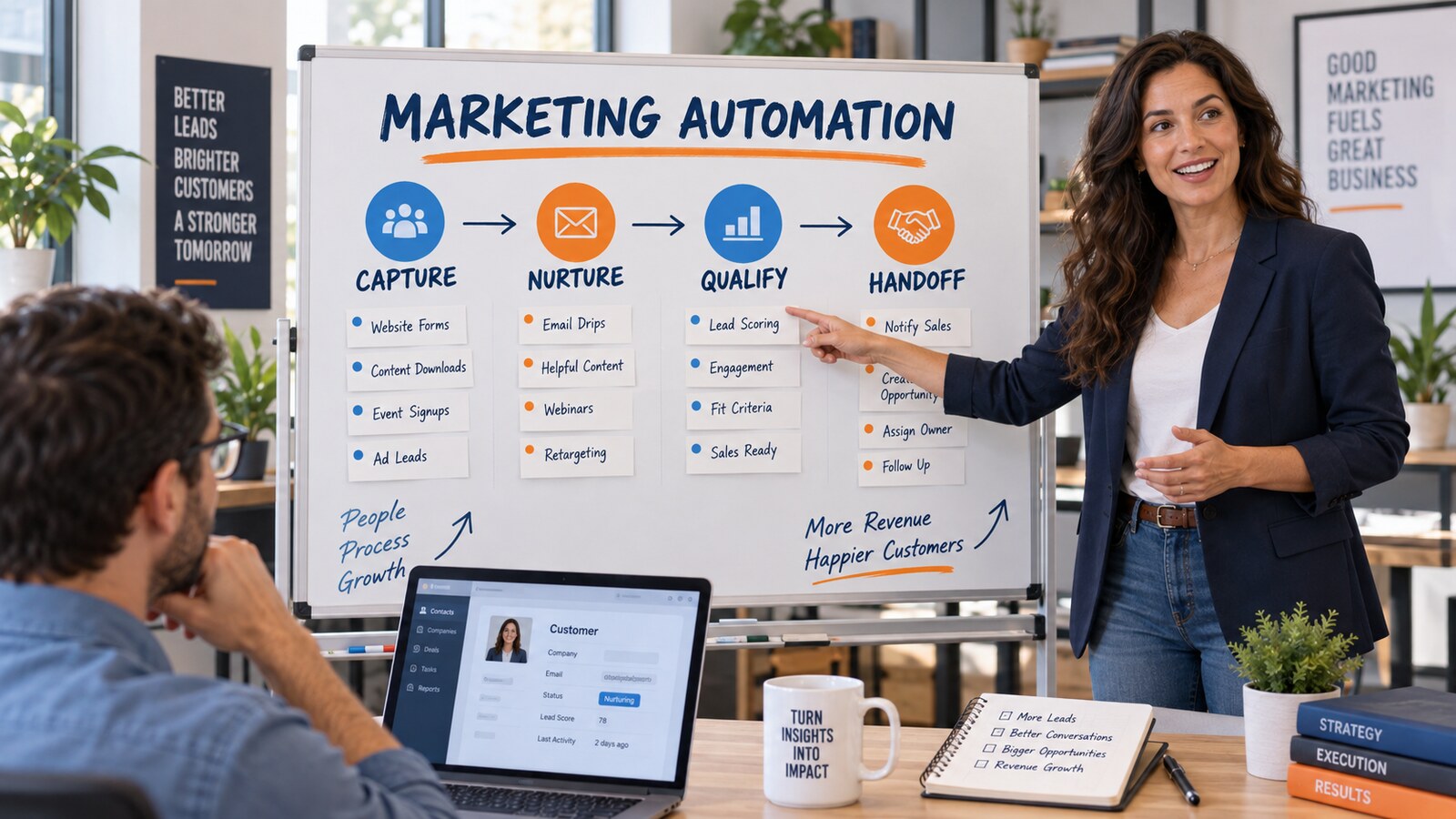

What is CRM marketing automation?
Automation fails when it accelerates a broken process. Duplicate records produce repeated messages, vague stages produce premature handoffs, and missing consent creates compliance and reputation risk.
A good workflow answers five questions: who enters, what triggers it, what happens next, who owns exceptions, and which business outcome proves value.
Not every follow-up should be automatic. High-value or sensitive interactions often need a task and human judgment rather than an unattended message.
Build automation from the customer journey backward
- Capture. Create a reliable customer or lead record with source and permission context.
- Qualify. Use explicit fit and intent signals, not unexplained scores.
- Nurture. Schedule relevant touches and stop them when the customer responds or opts out.
- Hand off. Assign an owner, due date, context, and acceptance rule.
- Measure. Connect campaigns to qualified opportunities and revenue outcomes.

Practical automation control table
| Workflow | Trigger | Required control | KPI |
|---|---|---|---|
| New inquiry follow-up | Qualified form submission | Owner and response deadline | Time to first response |
| Dormant opportunity | No activity for set period | Stage and reason check | Reactivation rate |
| Renewal reminder | Known renewal date | Accurate date and account owner | On-time outreach |
| Marketing-to-sales handoff | Fit plus intent threshold | Sales acceptance outcome | Accepted-lead rate |

How BROSH supports practical automation
BROSH connects customer records, pipeline stages, ownership, tasks, appointments, documents, and reporting. That foundation helps teams automate follow-up without losing the surrounding customer context.
Use calendar and scheduling for time-based action, Kanban pipeline visibility for stage control, and e-signature documents where approval becomes the next trigger.
Keep the design simple enough that a manager can explain why each automation ran and what outcome it should produce.
Frequently asked questions
What should a business automate first?
Choose a frequent, rules-based step with a visible owner and measurable delay, such as assigning a new qualified inquiry or scheduling a renewal reminder.
Is lead scoring required?
No. Many teams can begin with transparent fit and intent conditions. If you use a score, document its inputs and review whether it predicts accepted opportunities.
Should automation send every follow-up email?
No. Automation can create tasks, reminders, or audience changes. Human follow-up is often better when context, negotiation, or customer sensitivity matters.
How do you prevent duplicate messages?
Use one customer identity, merge duplicate records, maintain suppression data, and define stop rules for replies, conversions, bounces, complaints, and opt-outs.
Which metrics matter most?
Track time to response, handoff acceptance, stage conversion, task completion, qualified pipeline, revenue, unsubscribe rate, and complaint rate—not open rate alone.
Summary and sources
Marketing automation works when customer data, permission, triggers, ownership, and measurement are explicit. Automate the next best process step, not activity for its own sake.
Primary sources: FTC CAN-SPAM compliance guide; Google email sender guidelines; NIST AI Risk Management Framework.
Turn customer signals into visible next steps
Map one lifecycle workflow in BROSH, assign ownership, and measure whether automation creates faster, better follow-up.