
Chief Revenue Officer CRM: Align Sales, Service, and Growth
A chief revenue officer needs more than sales totals. The CRO needs one view of pipeline, forecast, quote status, customer risk, renewals, service handoff, and next actions.
BROSH CRM helps revenue leaders connect the work that creates revenue with the customer records, documents, tasks, and operational signals that protect it.
Last modified by BROSH CRM, on Tue Aug 11 2026 Israel Time

CRO Revenue Operations becomes easier when the team can see owners, next actions, customer context, and management signals in one place.
The CRO Role Is About Revenue Systems, Not Only Sales Targets
A revenue leader has to understand where growth is created, where it slows, and where customer risk appears. That requires clean data and shared workflow across sales, service, finance, and management.
The NIST AI Risk Management Framework is useful for revenue teams adding automation because it emphasizes accountable systems. For CROs, that means CRM automation should make risk and next actions visible without hiding responsibility.
The OECD AI Principles also point toward human-centered, trustworthy systems. Revenue operations should use automation to support decisions, not replace customer judgment.
Unify Sales, Service, and Customer Operations
Revenue work crosses teams. A lead becomes an opportunity, a quote becomes a document, delivery creates service commitments, and renewal depends on customer trust. A CRO needs the system to connect those stages.
Use BROSH CRM with customer journey planning and buyer enablement workflows so each team sees the same customer context.
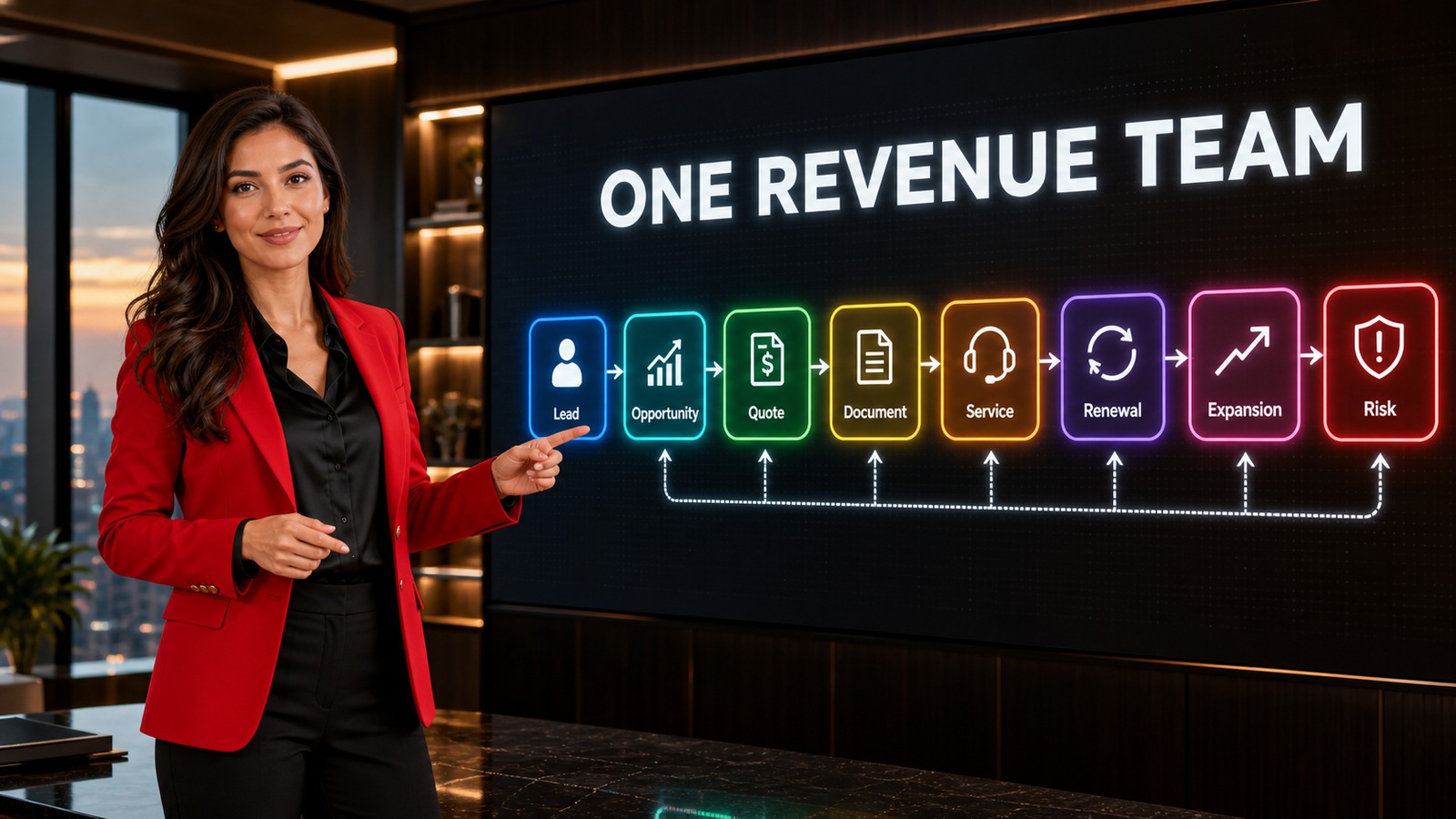
The image beside this section shows the operating model as a clear business workflow, not a disconnected list.
What to Track in BROSH CRM
Keep the workflow simple enough for daily use and structured enough for managers to act on it. Focus on the fields that make customer work move: owner, next action, status, document, quote, risk, and date.
Forecast Context
Tie forecast to open quotes, next actions, and customer risk.
Service Handoff
Keep delivery and service notes visible near the customer record.
Renewal Signal
Watch renewal dates, support issues, and document status before the customer disengages.
Connect this workflow to related BROSH guidance on what CRM manages, smart scheduling, Kanban pipeline visibility, and documents and e-signatures.

The management view should make the next decision easy to see.
Make Revenue Risk Visible Before the Quarter Ends
Revenue risk often hides in operational details: quote aging, missing follow-up, customer support issue, renewal date, document delay, or no next meeting. A CRM dashboard should expose these signals early.
BROSH CRM helps leaders review the pipeline through practical signals that teams can act on this week.
How to Put This Into Practice
Start with the real workflow. Map the way your team handles a lead, quote, document, customer request, approval, or renewal before adding fields.
Assign ownership. Every important record should show who is responsible for the next action and when it is due.
Use reports to change behavior. Good CRM reporting should help managers see what needs attention, not simply count activities after the fact.
Prepare for automation carefully. Teams that want smarter reminders or AI-assisted work should first clean their process and data, then continue with AI-ready CRM operations and agentic AI CRM workflows.
Questions and Answers
What should a CRO see in CRM?
A CRO should see pipeline, forecast, quote aging, customer risk, renewals, service handoff, owner coverage, and next actions.
How does CRM help revenue operations?
CRM connects customer records with sales, service, documents, quotes, tasks, and reporting so revenue teams act from one source of context.
Which CRM signals reveal revenue risk?
Signals include overdue follow-up, aging quotes, missing documents, unresolved service issues, stalled approvals, and renewal dates without owner action.
How can BROSH CRM support a CRO?
BROSH CRM helps align revenue work around customers, tasks, quote status, documents, and management dashboards.
Give Revenue Leaders One Practical View
BROSH CRM helps CROs connect sales, service, quotes, documents, renewals, and customer risk.